The 2 doors between you and your goals. Almost everyone is watching the wrong one.
You've learned plenty. The Insight Library keeps everything you save and hands back the right insight the moment you need it.
Works completely on its own. No ChatGPT or Claude account needed.
$97/year · Cancel anytime · Export your library anytime
Everything you learn goes through 2 doors.
What comes in
Every book you read, course you take, podcast you listen to, and post you save.
What goes out
Everything you forget, or can't find in the moment you need it.
Almost all of our attention goes to the front door.
Almost nobody watches the back door.
And with what we learn, it's just as big. Everything we let in walks right back out.
"Is the back door bigger than the front door?"
I volunteer at my church, and that's a question leaders there ask often. They mean: are more people leaving for good than walking in for the first time? If they are, welcoming more new people won't help. The church keeps shrinking until it closes the back door.
When I heard that question, I thought about everything I've ever learned.
The thing you need, you've probably already heard.
Somewhere in a book on your shelf, a note on your phone, or a course you took, is the exact thing that would help you today. You read it. You probably underlined it. But you can't get to it, so it feels like you don't have it.
So we go looking for more: another book, another podcast, another program. And more in the front door just means more walking out the back.
You don't need more information. You need to close the back door.
The Insight Library is how you close it.
It keeps everything you save in one place and hands back the right insight when you ask for it, without you having to remember what you saved.
Save it once. Get it back when it matters.
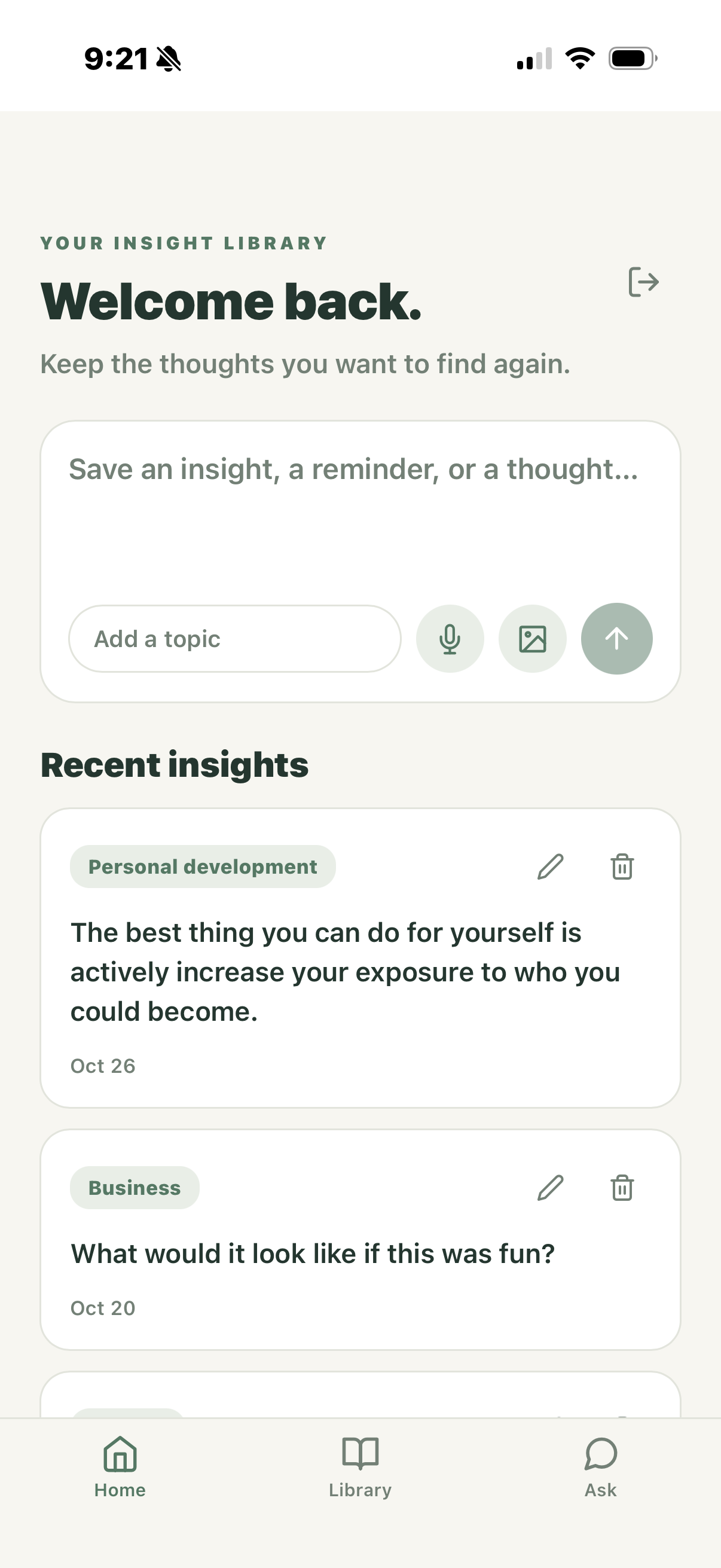
Save it in seconds
Snap a page you underlined or upload a screenshot of a post, and it pulls the words out for you. Add a category so it's easy to find later.
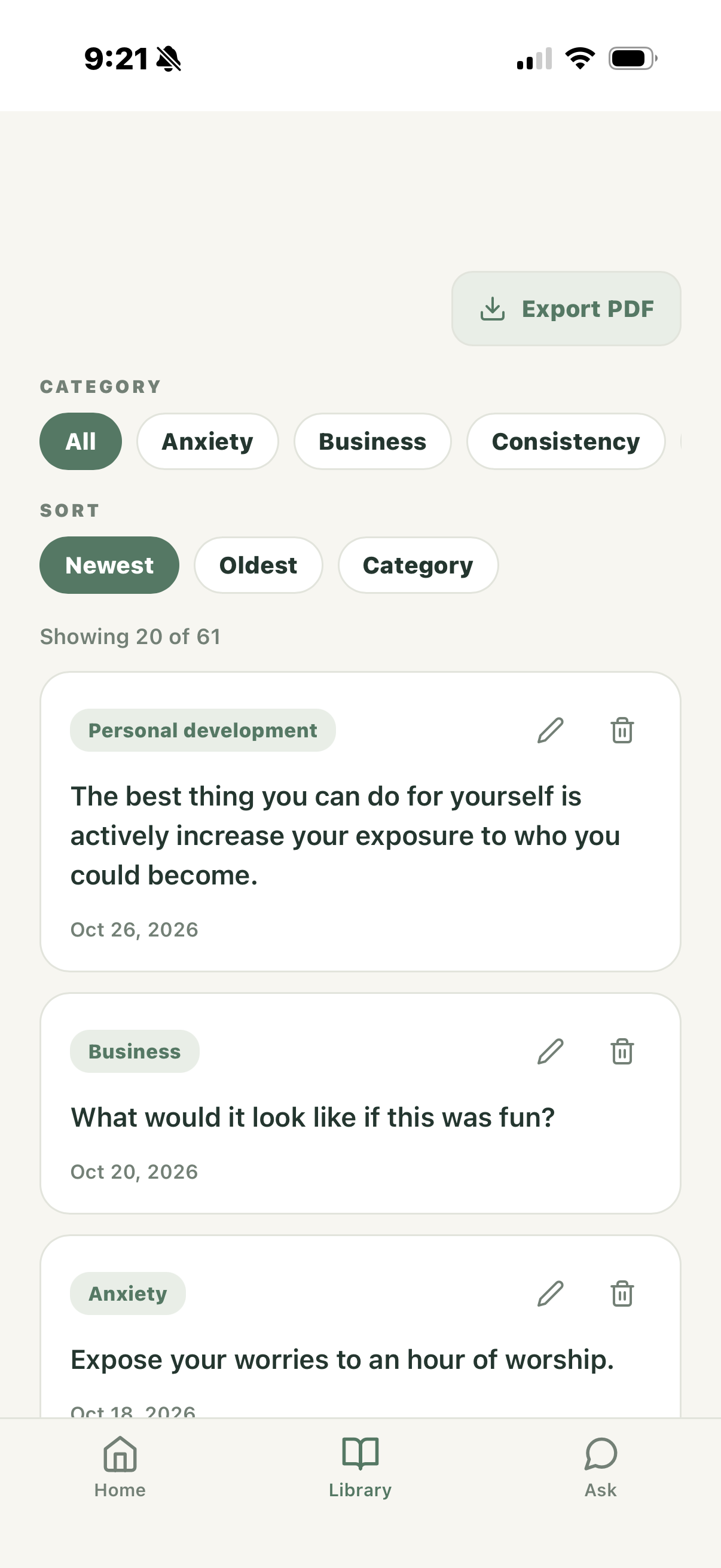
Find it whenever you want
Sort by category or by newest. Scroll your whole library, edit or delete anything, and export all of it whenever you want.
Ask for it when you need it
Tell it what you're dealing with, in your own words. It searches everything you've saved and brings back the insights that fit.
"Procrastination is kicking my butt today. What have I saved that will help?"
"I know I saved something a few weeks ago about blessings. Can you bring it back for me?"
"I'm losing my patience with my kids. Do I have anything saved on parenting?"
Watch me use mine
You don't start with a blank page
Your library comes with 50 of my insights already in it, so it's useful from the first minute. Keep the ones that help, delete the ones that don't, and add your own.
It works on every device
Save it to your home screen and it looks and works like any other app. It runs on its own, so you don't need a ChatGPT or Claude account, or a subscription to anything else. You get access the minute you buy.
My back door was wide open.
I started counting the places I save insights, and I stopped when I got to 50. I have journals from years ago, hundreds of books with notes in the margins, and over 8,000 notes in my notes app. Plus pictures of pages, saved Instagram posts, and Pinterest boards.
I truly had what I needed. I just couldn't get to it when it mattered. So I built one place where all of it lives together and comes back when I ask for it.
Elizabeth
The Insight Library
- Save insights by typing, speaking or uploading a picture
- Works completely on its own. No ChatGPT or Claude account needed, and no logging in to either
- Ask: tell it what you're struggling with and get back the insights you saved that fit
- Sort your library by category or newest first
- 50 preloaded insights to start with
- Works on iPhone, Android, tablet and computer
- Export your whole library anytime
Questions
Do I need a ChatGPT or Claude account?
No. The Insight Library runs completely independently of any AI account. You don't need ChatGPT or Claude, you never log in to either, and you don't need a subscription to anything other than your Insight Library.
What devices does it work on?
iPhone, Android, tablet and computer. Save it to your home screen and it works like any other app.
Can I save things from Instagram or Facebook?
Yep. You can type it in, speak it, or upload the image, and the Insight Library pulls the words out for you.
What if I don't want the 50 preloaded insights?
You can delete one or all of them.
Is the Insight Library a subscription?
Yes. It's $97/year, and you can cancel anytime.
What happens if I cancel?
You keep access through the end of the year you paid for, and you can export your full Insight Library anytime, so everything you've saved stays yours.
How do I get into the app after I buy?
You'll get an email with a link right away. Click it and sign up with the same email you used to buy.
Close the back door.
You saved every one of those screenshots, underlined pages, course notes and journals because it helped you see something differently. It can do that again, if you can get to it.
Get Your Insight Library →$97/year · Cancel anytime · Export your library anytime